
Depending on the question type, there are a few ways to allocate partial credit for assessments. This article provides an overview of these options and some examples.
For type-specific partial credit information, see the following articles:
-
Multiple Choice
-
Matching
-
Ordering
-
Fill in the Blank Text
-
Fill in the Blank Dropdown
-
Fill in the Blank Drag and Drop
-
Label Image
-
Highlight Hotspot
-
Highlight Text
-
Number Line
Automatic partial credit scoring is unavailable for true or false, short answer or essay, audio, video, file upload, highlight image, math short answer, and chart question types.
Alternate answer setup
From Correct Answer Setup, click the + button to add another permutation of partially correct choices.
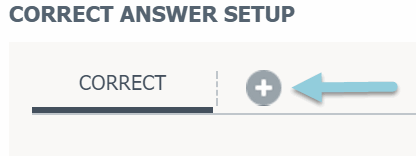
The following example uses the Multiple Choice question type.
Click the percentage field for the alternate answer to assign partial credit and set the points students can earn.ly.
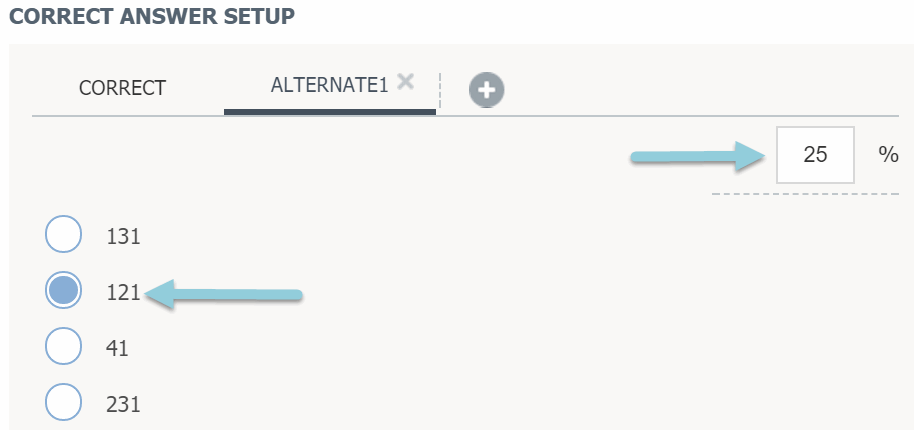
You can create multiple Correct Answer tabs with different percentages. For example, if a question has multiple correct answers (A and D), you could create a tab where selecting A and C gives partial credit, such as 50%. Depending on your scoring, you might decide students selecting A & C earn 0% or 25% credit instead.
Partial match
Select Partial Match to give points based on how many correct choices a student selects, without creating alternate answers for every possible combination.

For multiple-choice questions with Partial Match, points are awarded for correct choices and deducted for incorrect ones. For example, if a student selects one correct choice and one incorrect choice, they will receive 0 points. For all other question types, points are given for correct choices without penalizing incorrect selections.
Penalty score
This option is not available for the multiple-choice question type. Selecting Partial Match for multiple-choice questions will automatically penalize students for incorrect choices.
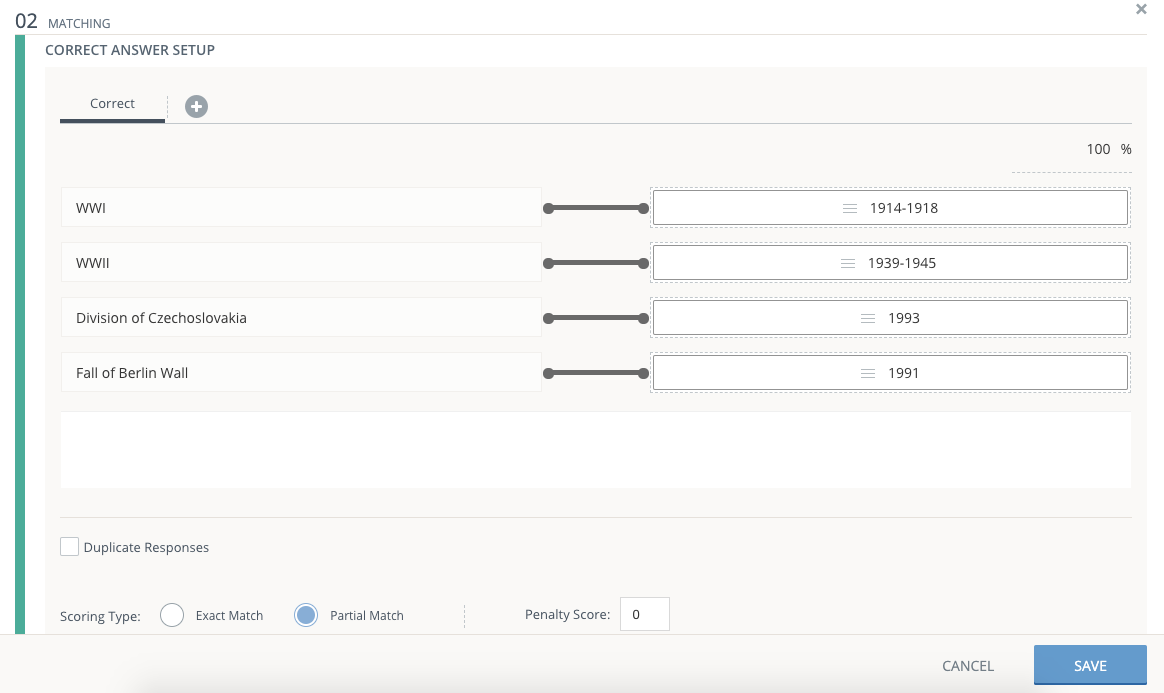
When the question is set to Partial Match, you can optionally set a Penalty Score to deduct a percentage of the total question point value for each incorrect answer.

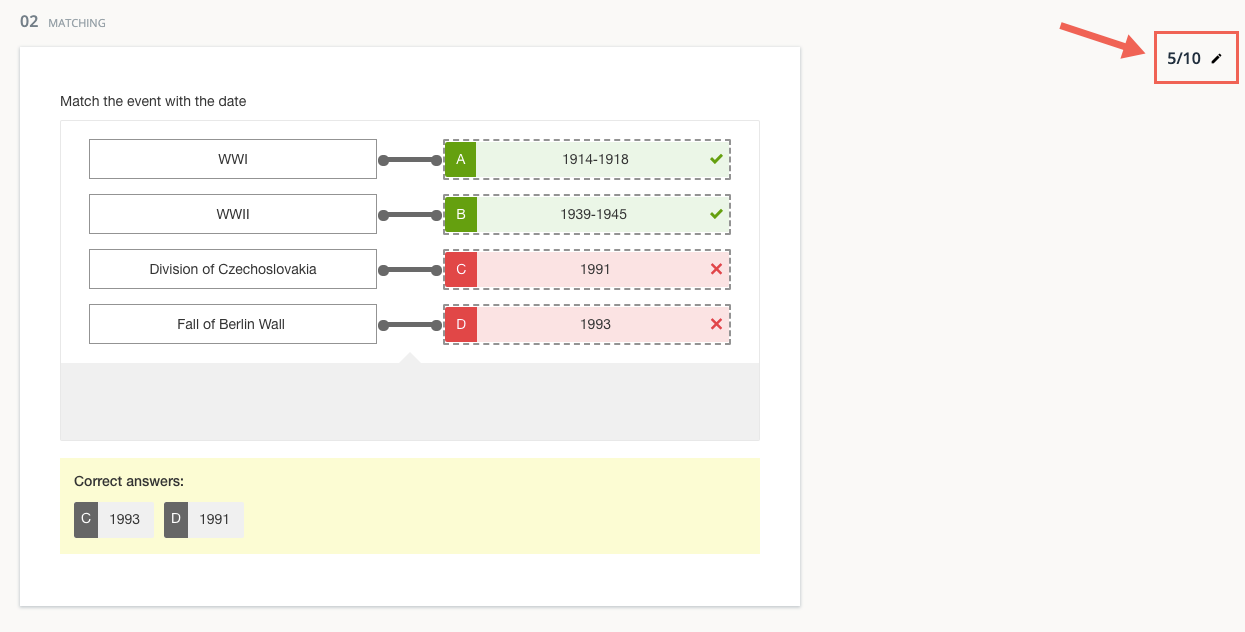
For example, in a Matching question, if the Penalty Score is set to 0, students earn points for correct matches and are not penalized for incorrect matches.
The following response will earn points for correct matches and not be further penalized for incorrect matches:
If the Penalty Score is set to 100, incorrect matches fully cancel out points earned for correct matches.
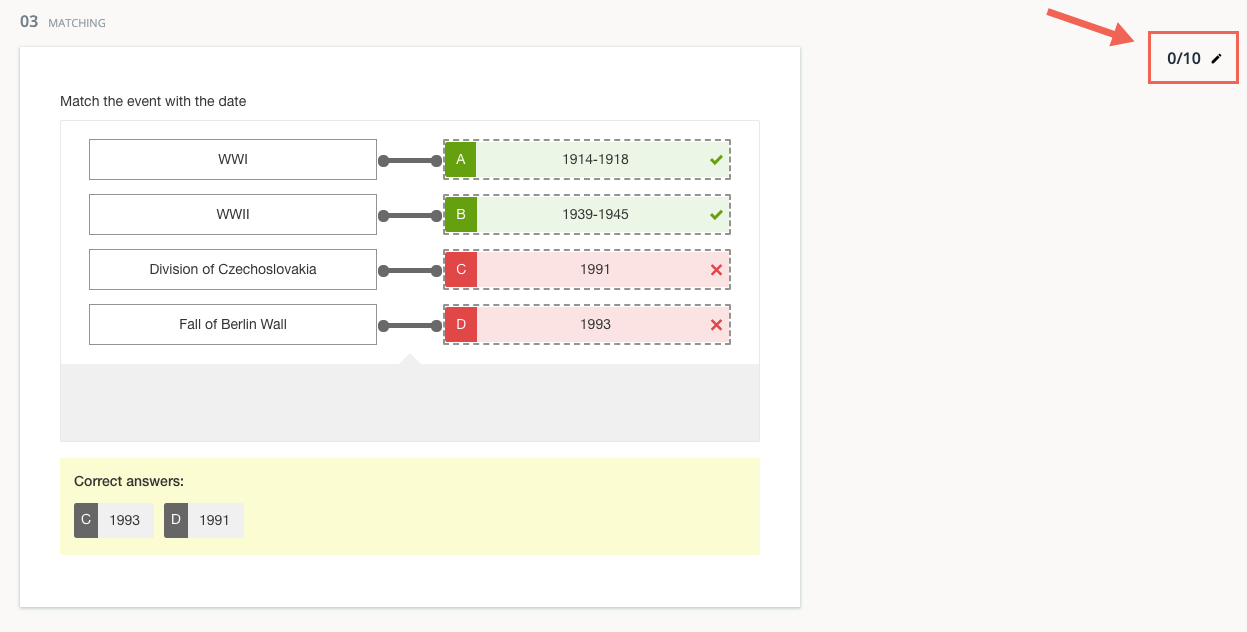
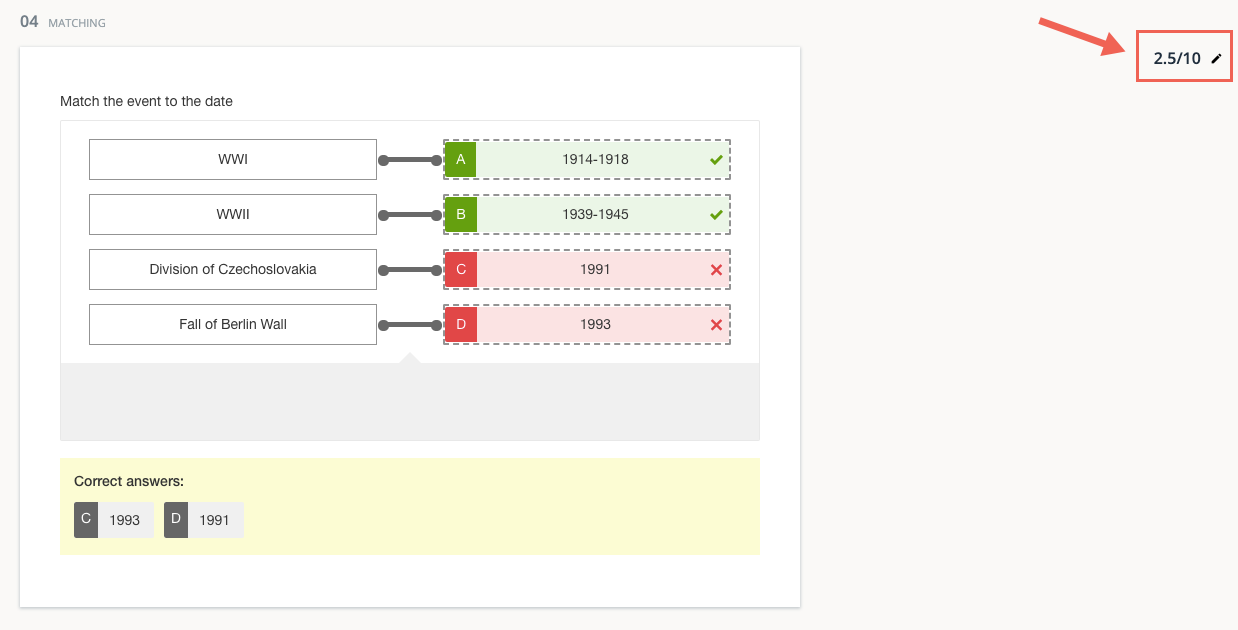
If the Penalty Score is set to a value between 0 and 100, incorrect matches reduce the score, but less than the points earned for correct answers.
Partial pairwise per response
This scoring option is only available for the Ordering question type.
Select Partial Pairwise Per Response to score answers by comparing options in pairs.

With this scoring type, an algorithm evaluates all possible responses and awards points based on how closely each response matches the correct answer. The calculation considers the position of each option relative to the others.
For example, if Partial Pairwise Per Response is selected:
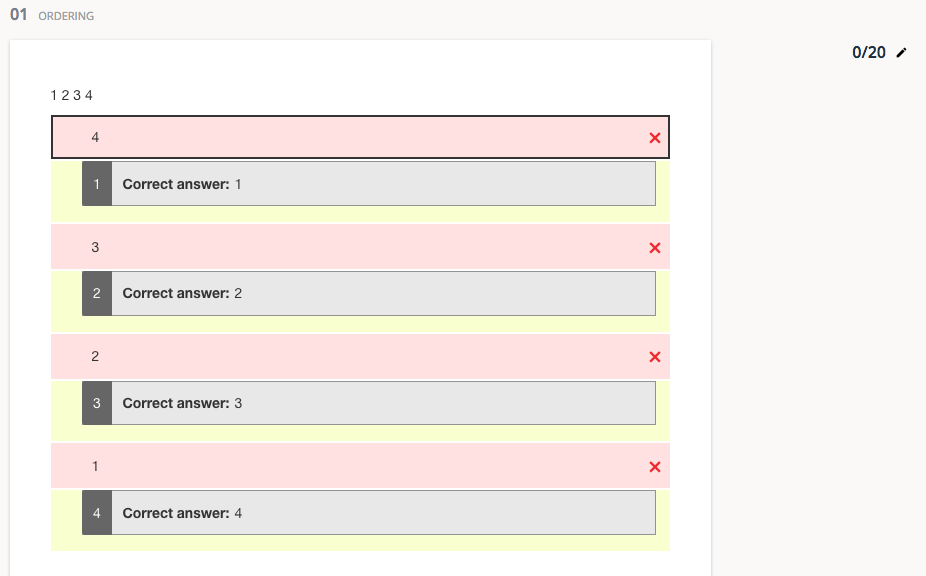
A response with none of the options in their correct relative positions receives 0 points.
A response with some options in the correct relative positions earns partial credit, even if the options are not in the exact correct slots.
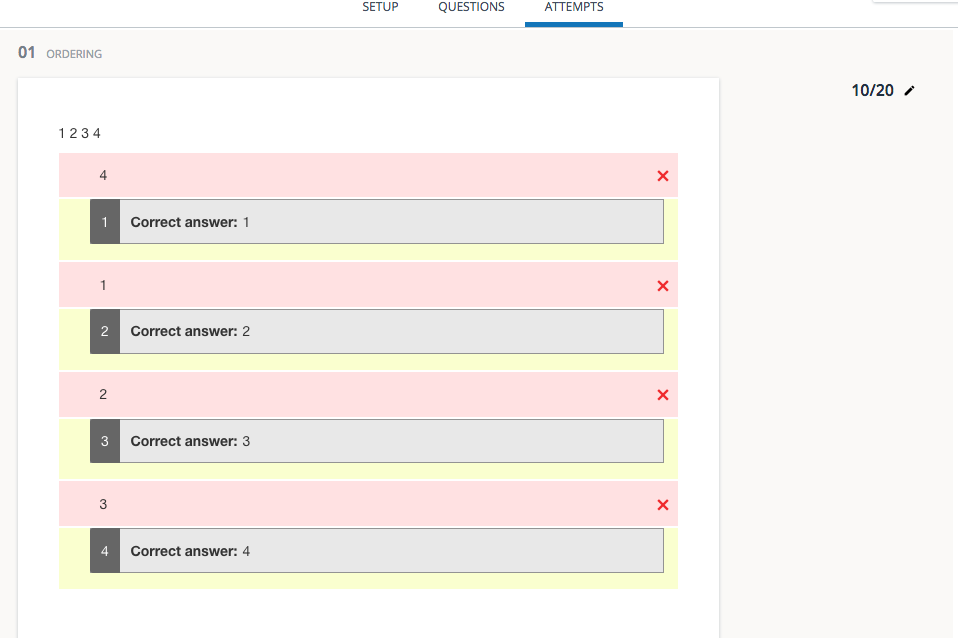
Responses with some options in their correct slots are scored more favorably.
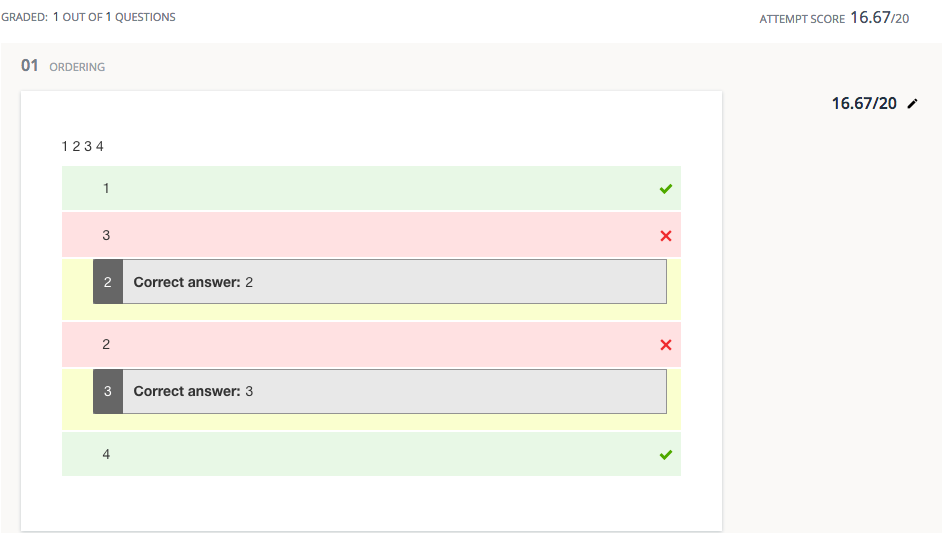
Partial Match awards points only when an option is in its correct slot, while Partial Pairwise Per Response awards points when an option is in the correct relative position compared to the other options.