
The Subscriber feature allows potential recipients to sign up to receive messages from you by filling in a form on a web page. This feature does not require any preliminary uploads of contact data from your database. All contact information is entered by the subscribers as they sign up for your messages.
This feature is only visible if your system includes the Subscriber feature. Subscriber allows your recipients to sign up for messages on a simple web page. For more information regarding the Subscriber feature, please call 1-800-920-3897.
Configuring the Subscriber Settings
-
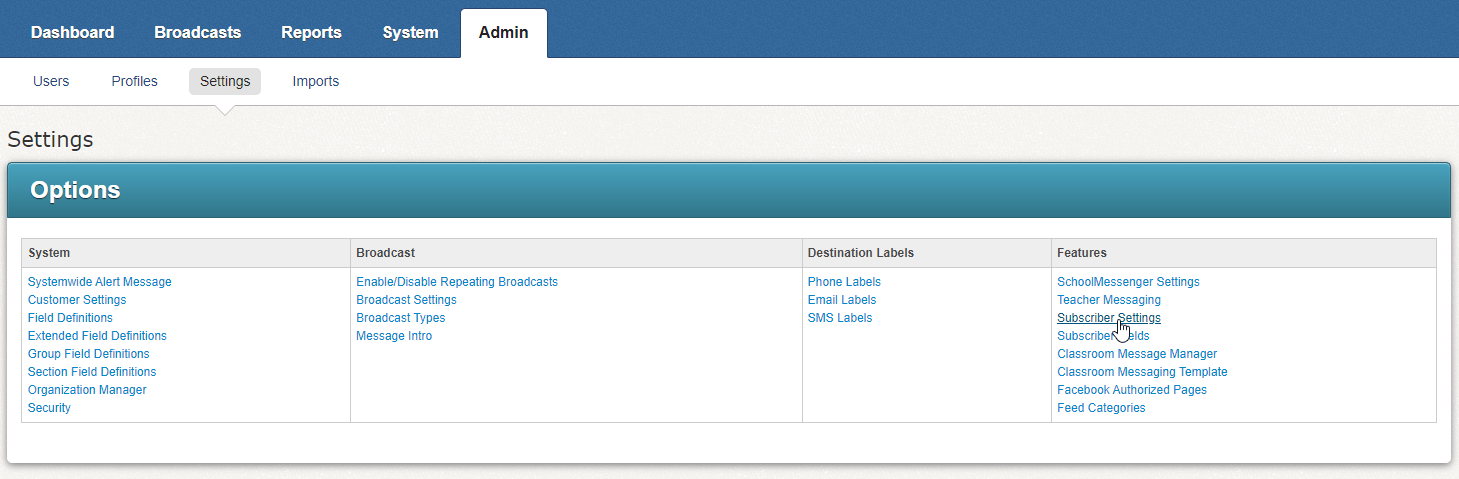
The Settings screen can be accessed by clicking on the Admin tab followed by the Settings sub-tab.
-
The Subscriber Settings link will take you to the Subscriber Options screen.
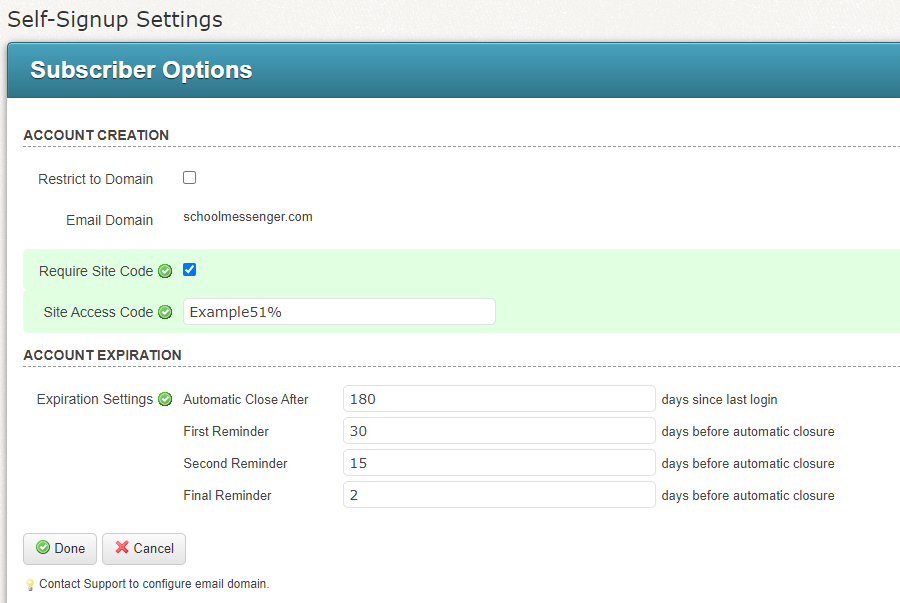
3. In the Subscriber Options screen you have a few options:
-
Restrict to Domain: Select this if you want your subscribers to only use email addresses from a certain domain, ie. '@schoolmessenger.com'
-
Email Domain: If you're restricting your subscribers to certain email domains, enter them in this field.
-
Require Site Code: Check this if you want subscribers to enter a certain code when signing up. This can help you limit who is signing up for messages to only people who know the code. For example, if the code was SchoolCodeExample, subscribers would need to enter SchoolCodeExample into the web page when they are signing up.
-
Site Access Code: If you select this option, you will set the site code here.
-
Click Done once you've finished setting your options.