With the Comments and Attachments features in SafeArrival, guardians can be given the option to add a comment or an attachment when reporting an absence for their child. These features are disabled by default but can be enabled for your account on request.
Comments on Reported Absences
Once the Comments feature has been enabled, guardians will have the ability to make comments when explaining an absence.
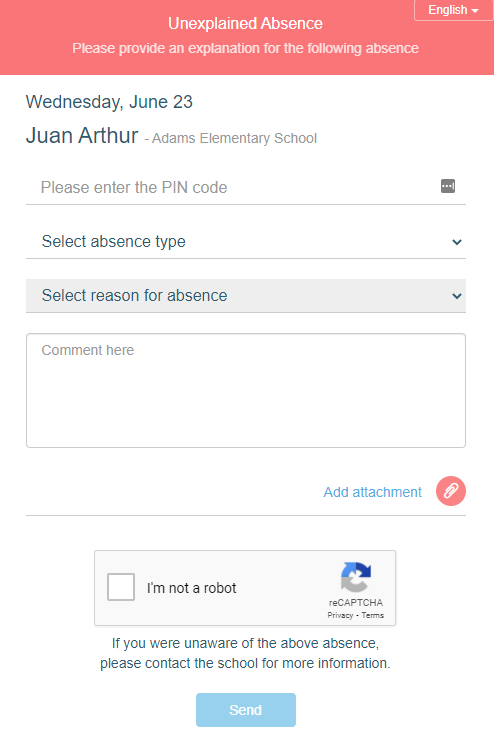
Note: The Comment field is optional and thus a comment is not required for submitting an absence.
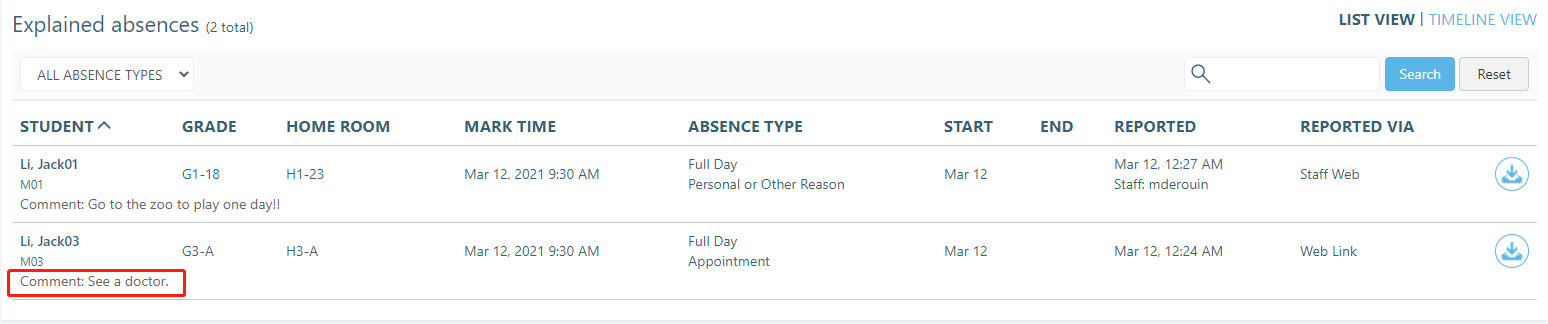
If a comment was made it will be visible to school staff when they view the absence on their Dashboard page.
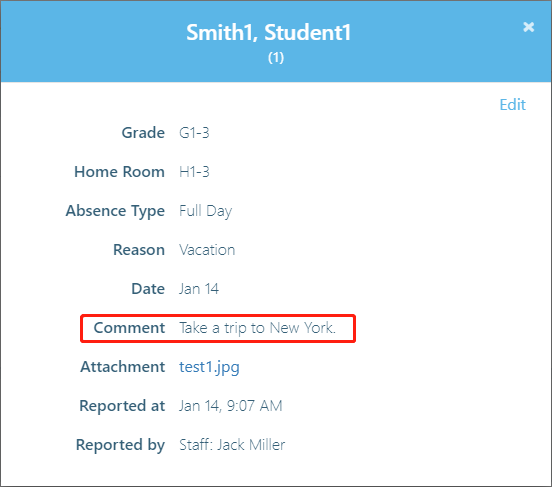
If you click on the absence, the comment will also be displayed in the pop-up modal.
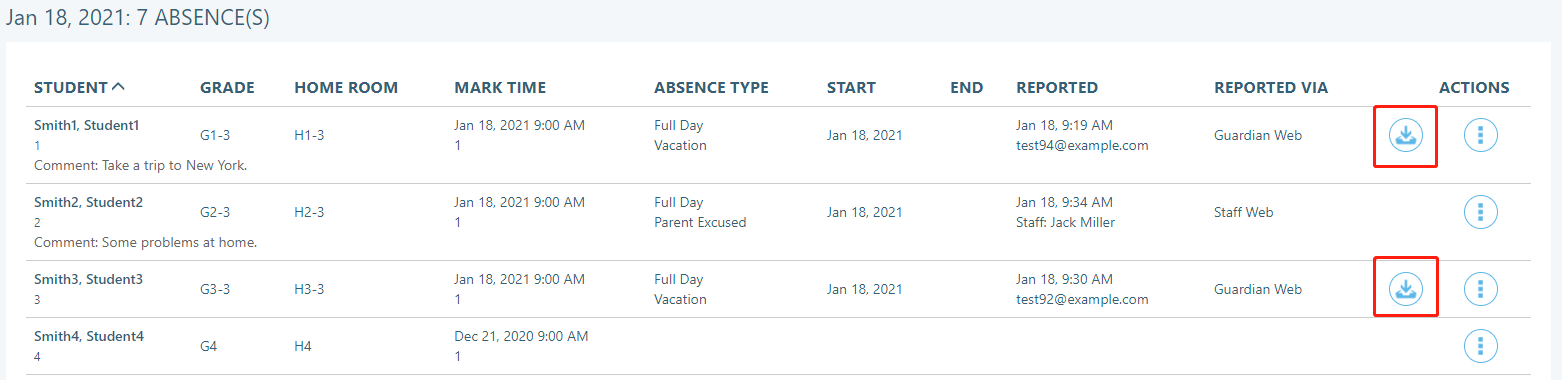
Staff will also be able to view the comments on the Attendance page. If the absence has a comment, it will be listed in a line under the student’s name.
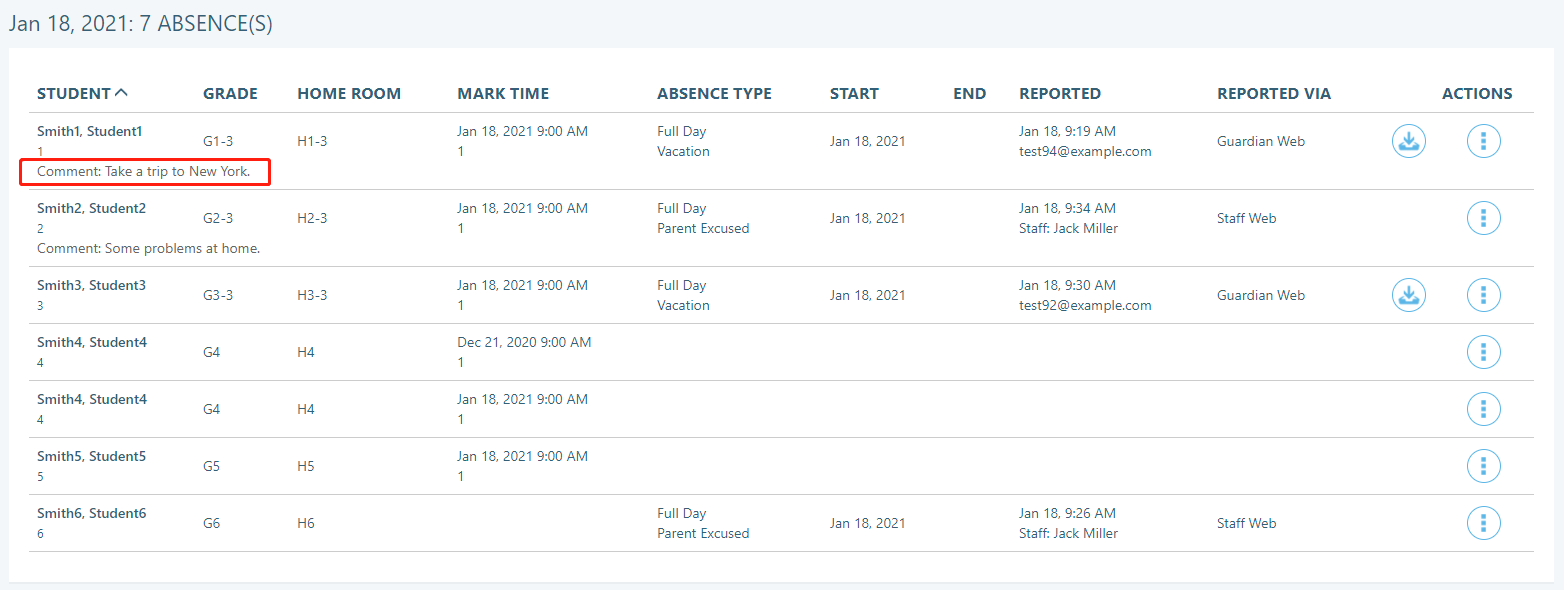
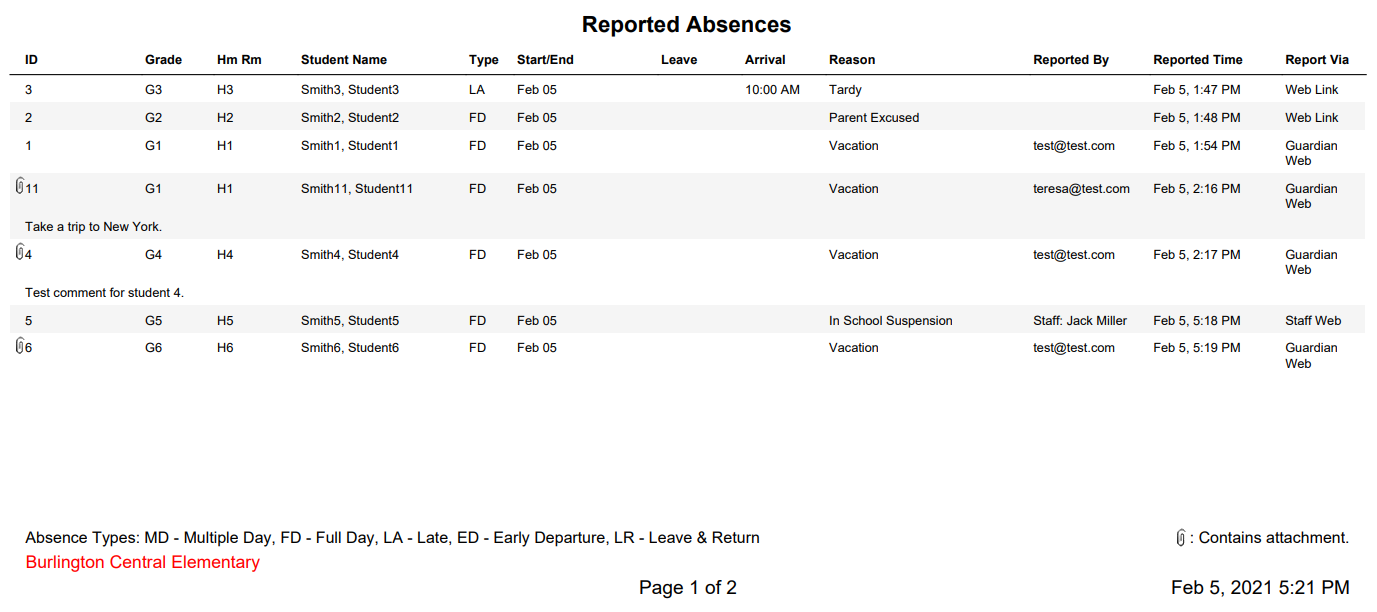
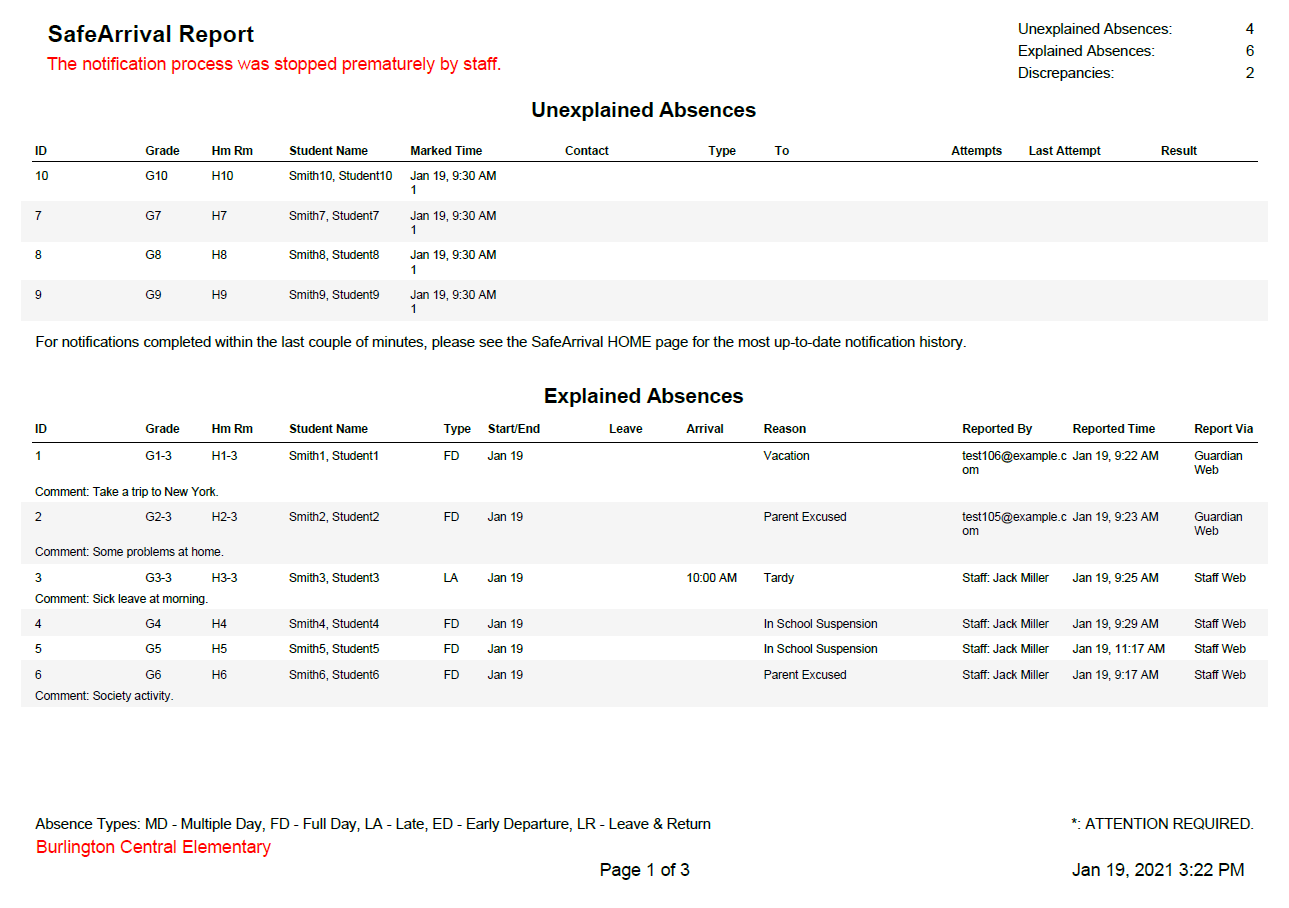
Any comments will also be listed when viewing an Absence Report.
Attachments on Reported Absences
Once the Attachments feature has been enabled, guardians will have the ability to add an attachment when explaining an absence.
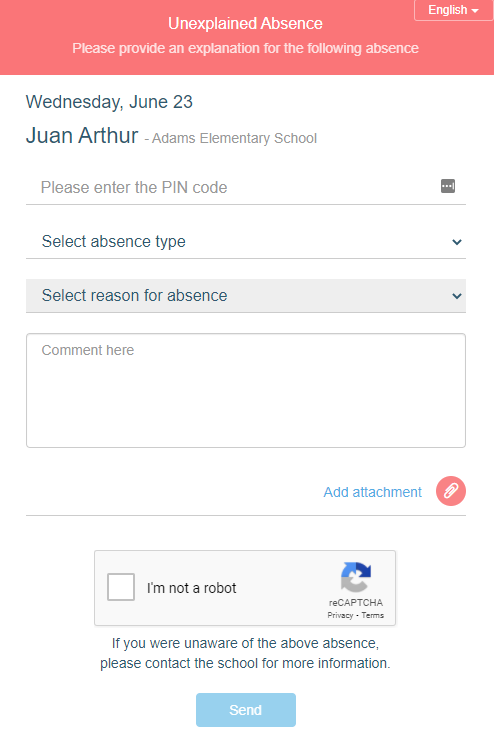
Note: The Attachment field is optional and thus an attachment is not required for submitting an absence.
The attachment can be accessed from the Dashboard page.

The attachment will also be available when you open the absence.
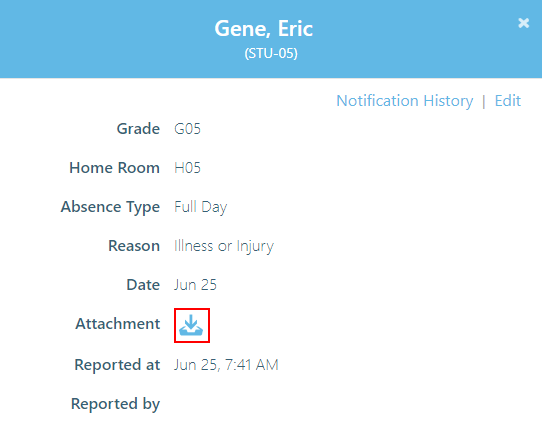
Staff will also be able to view the attachments on the Attendance page. If the absence has an attachment, the icon will appear under the Actions column.
Any attachments will also be listed when viewing an Absence Report. Absences with attachments will be designated with a paperclip (Attachments) icon.