
Two-way SMS allows guardians to receive and reply to school messages by text. Before your district can use two-way SMS, mobile carriers must approve your district's SMS registration. MyPowerHub allows administrators to submit this registration without opening a support ticket.
Your district cannot use two-way SMS until the registration is approved. Approval can take up to four weeks.
Before you begin
Gather the following information before starting registration:
-
District legal business name as it is displayed on your W-9
-
District EIN or business registration number
-
District website URL
-
Public privacy policy URL
-
Public terms of use URL
-
Consent form URL, or a screenshot of the consent form if it is not publicly available
-
Consent details showing how recipients agree to receive text messages
-
Authorized district representative name, title, phone number, and email address
-
District address, including street, city, state or province, postal code, and country
Your district is responsible for collecting and maintaining consent from recipients. Missing or unclear consent language is the most common cause of registration delays. If you already have a consent form, you may need to update the wording to meet carrier requirements.
Resources
Carriers review your organization’s privacy policy, terms and conditions, and consent language as part of the registration process. If you do not already have these resources, use the following templates to create them.
Privacy policy template
Create a privacy policy that meets carrier requirements.
Review a privacy policy example.
Terms and conditions template
Create terms and conditions that meet carrier requirements.
Review a terms and conditions example.
SMS consent template
Create SMS consent language that meets carrier requirements for web, paper, and verbal consent collection methods.
Review a consent example.
Complete SMS registration
-
Select Admin and from Portal Configuration, choose Messaging.
-
Select SMS registration.
-
Enter your organization information, including privacy policy and terms of use URLs, and select Continue.
-
Select the Consent type used as proof that recipients have opted in to receive SMS messages. Then upload consent documentation and other details as needed and select Continue.
-
If the consent form is publicly available, provide the URL.
-
If the consent form is not publicly available, upload a screenshot that includes all required consent information.
-
-
Enter the authorized representative's contact information and select Continue.
-
Enter the mailing address for the organization and select Continue.
-
Review the information for accuracy, including links and consent language.
-
Select Submit. The registration is reviewed and submitted to mobile carriers for approval.
-
Approval can take up to four weeks.
-
If there is an issue, PowerSchool is notified so it can be investigated.
-
-
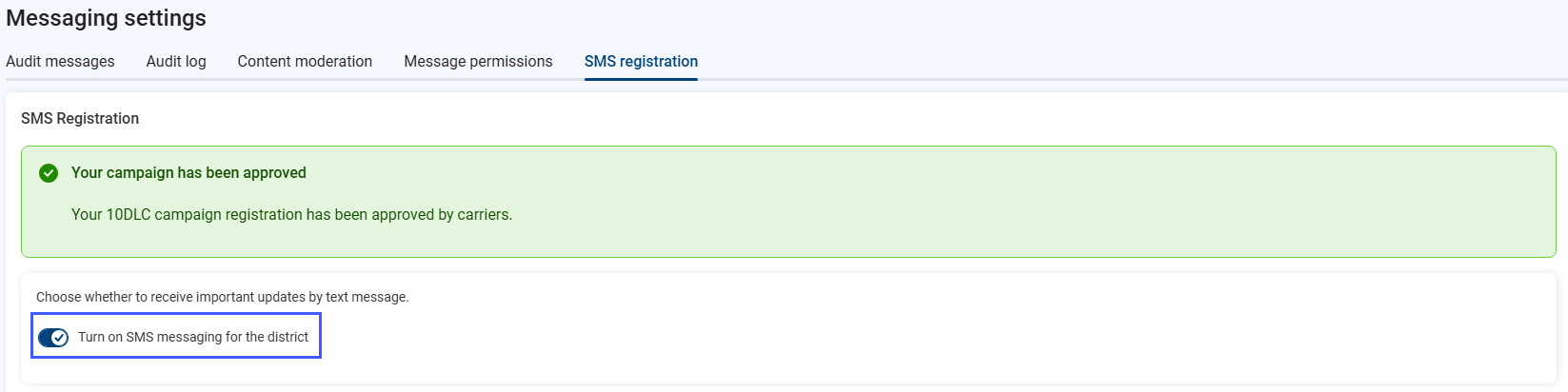
When approved, Turn on SMS messaging for the district.
Registration errors
If registration cannot be completed due to errors, PowerSchool receives information about the submission and the reported error for investigation. Do not submit a separate support request unless you are asked to provide additional information