
Math equations
The text-to-speech toolbar will correctly read equations entered directly in the rich text editor.
While simple equations, like 2 + 2 = 4, will be read aloud correctly, more complex equations should be entered using the math editor to ensure accurate reading.
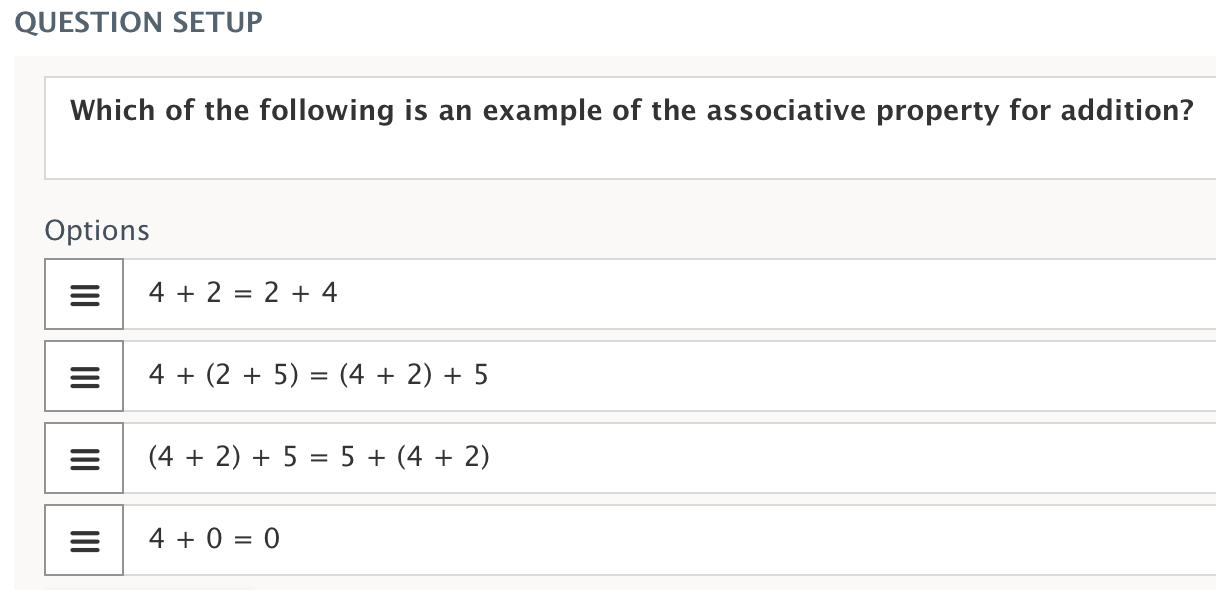
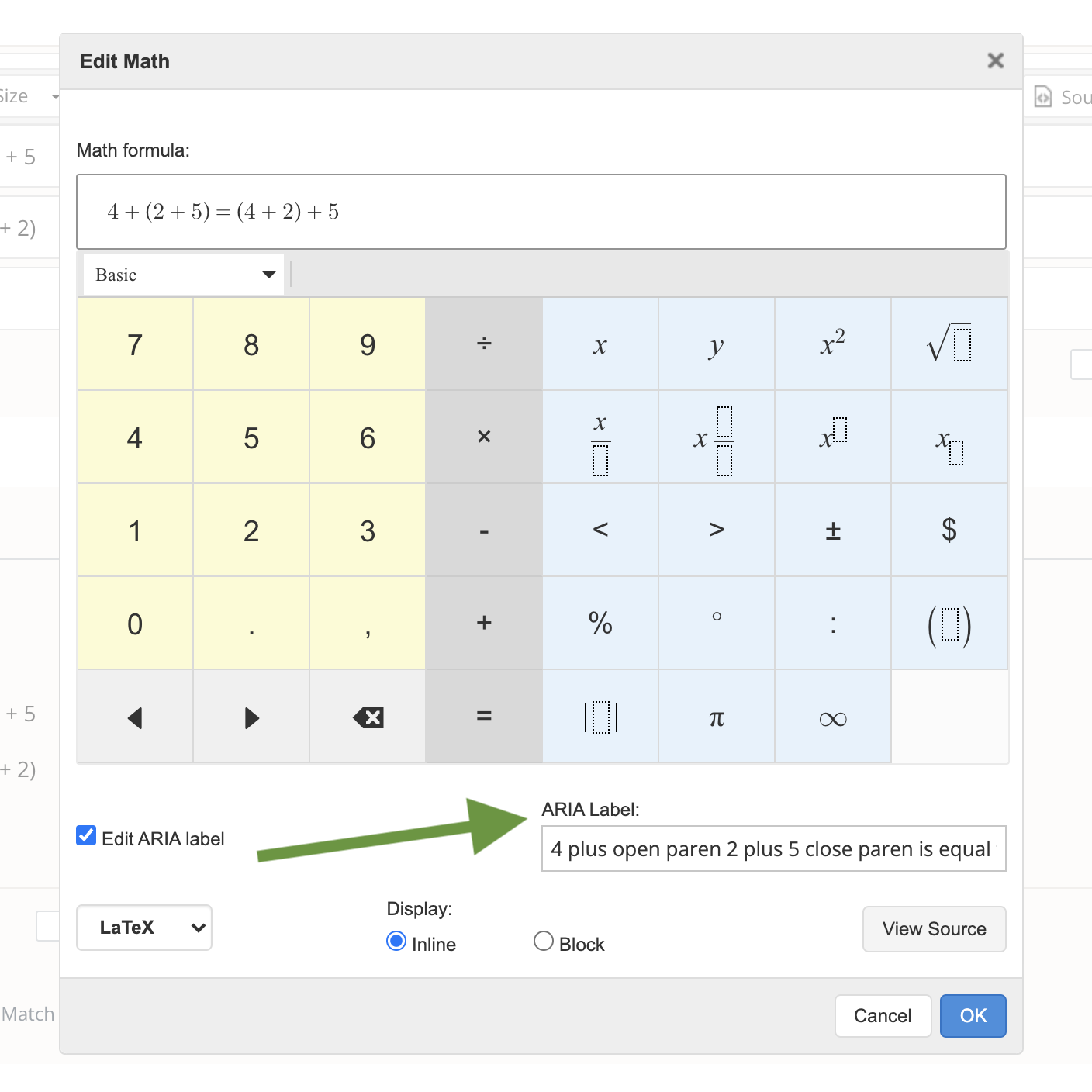
To customize how an equation is read, use the math editor in the toolbar.

From the math editor, you can customize how the equation is read by a screen reader or assistive tool. Select Edit ARIA label and update the label to change is equal to to equal.
Text highlighting
Students can highlight text during assessments. However, when using the text highlighting tool in conjunction with the text-to-speech tool:
-
The highlight pen cannot be used on a sentence currently being read aloud with Click to speak (hand icon) or Select to speak (play icon). The sentence will be read aloud when it is clicked.
-
Using Select to speak (play icon), students can highlight other sentences on the page while a different sentence is being read aloud. This allows annotating previously read text while listening to new content.
-
It’s best to use either text-to-speech or highlighting at a time.